Desk sharing software
for the hybrid office
Employees can book their workspace with just one click: via desk sharing app, QR code, or directly in Microsoft Teams. Real-time floor plans show who is sitting where. Flexible booking rules prevent vacancies.
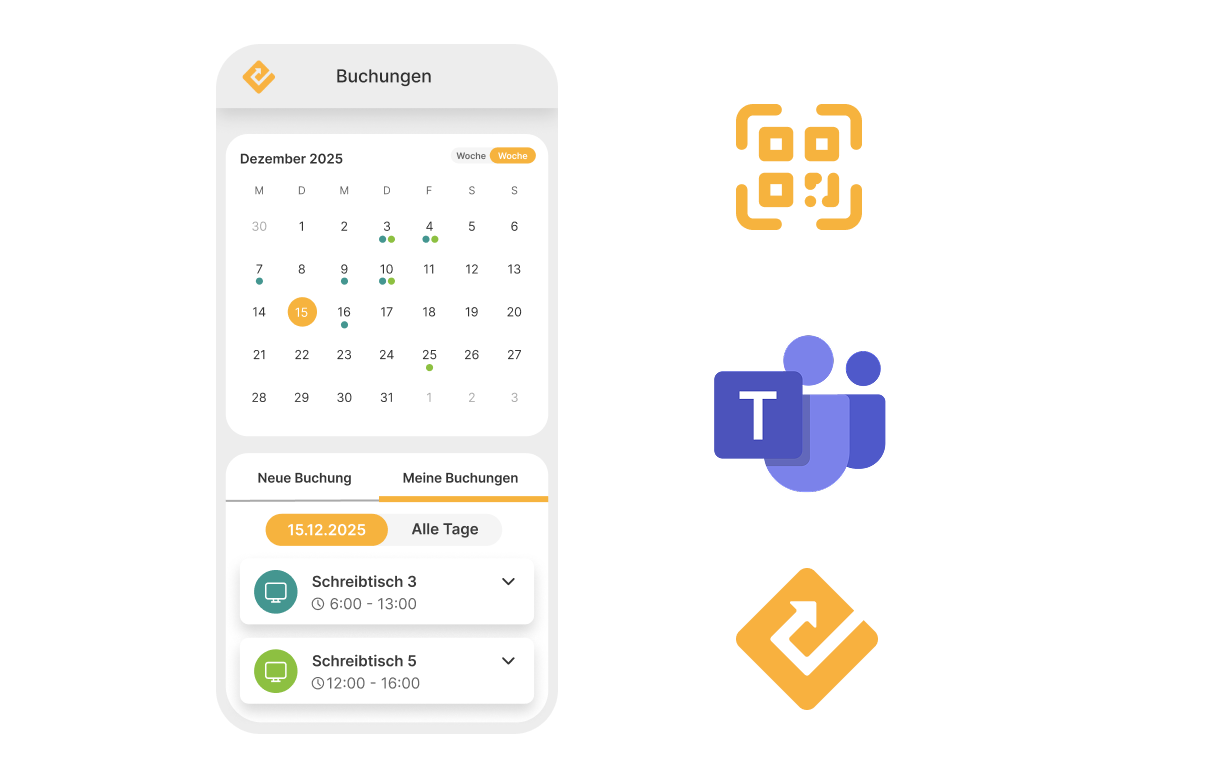
Desk booking where your team already works: in Microsoft Teams.
No need to learn a new tool or switch systems. With our desk sharing app, employees book workspaces directly in Microsoft Teams, in the browser, or via QR code at the desk. OfficeEfficient integrates seamlessly into your Microsoft 365 setup, including Entra ID, SSO, and SCIM. For your IT team: minimal rollout effort, maximum employee adoption.
View Microsoft integrationsYour team can see at a glance who is sitting where and when.
Interactive building maps within our desk sharing software show in real-time which desks are free and where colleagues are working today. Save a favorite spot, book with one click, work in a team area or a quiet zone: your employees decide for themselves. Booking a workspace has never been easier. Whether on desktop, mobile, or via QR code.

Automatically suggested, booked with a single click.
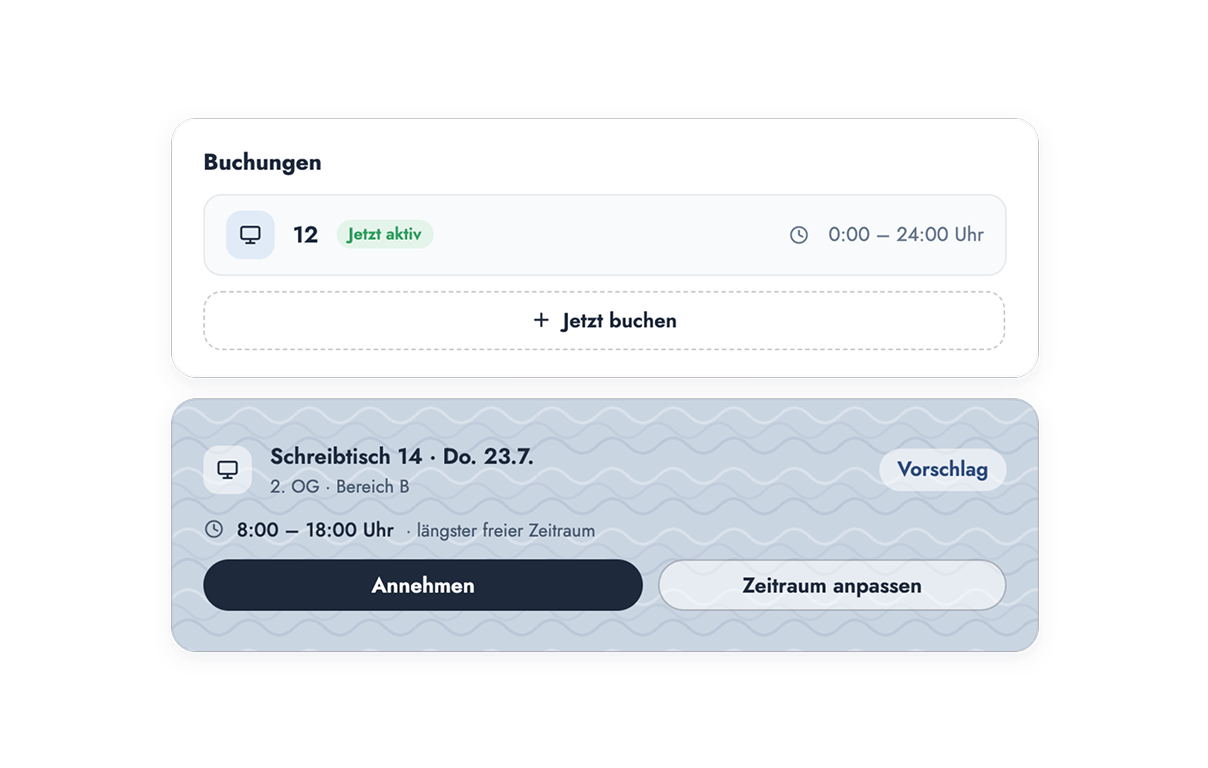
When opening our desk sharing app, employees immediately see a suitable desk recommendation for the coming days, based on their booking habits from previous weeks. One click is all it takes: accept, adjust the timeframe, or decline. If no space is available, our desk booking software makes that clear as well. The workspace finds the employees, not the other way around. Employees decide for themselves whether they want to receive suggestions and can exclude specific days of the week.
You set the rules. Your desk sharing booking system enforces them.
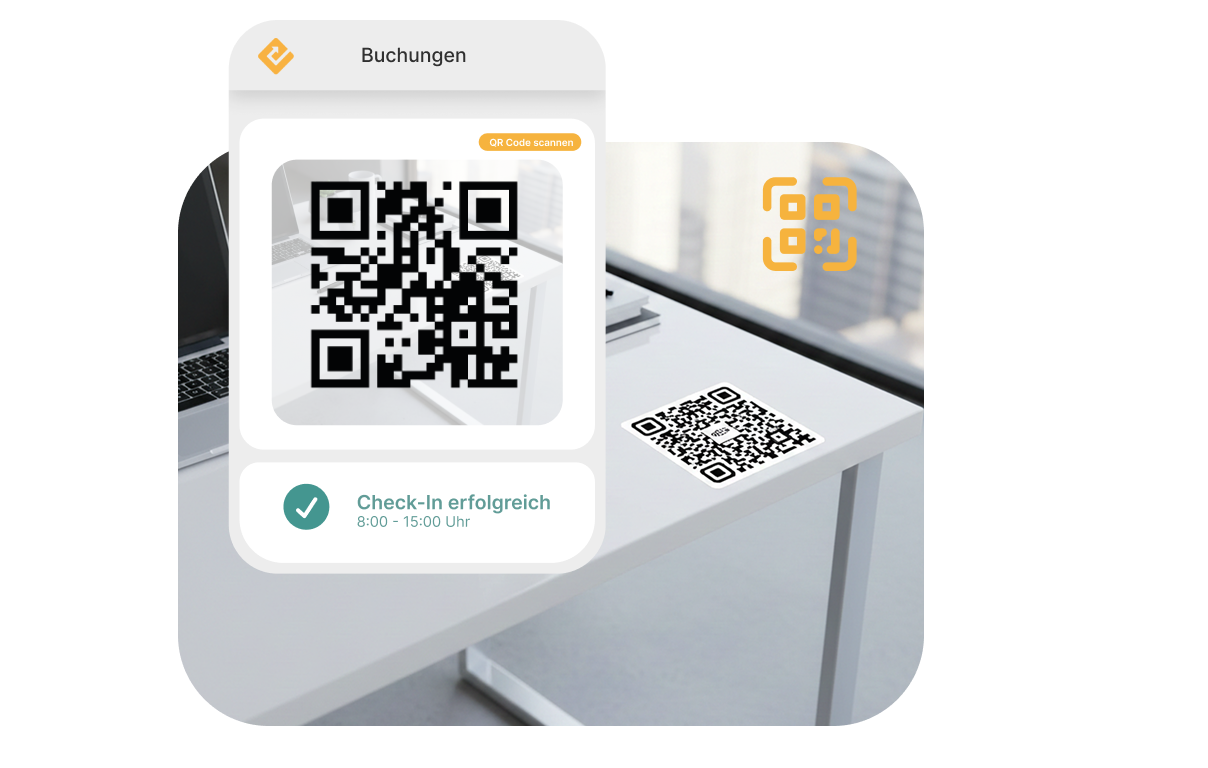
Every organization handles desk booking differently. Set individual booking rules, zone logic, and access rights for specific teams: recurring bookings for fixed office days, group bookings for project teams, and guest spots for external partners. Anonymous bookings for sensitive areas are also possible. To ensure reserved desks are actually used, employees confirm their presence via check-in. If they don't, the system automatically releases the desk. This ensures reliable utilization data instead of blocked desks that no one is using.
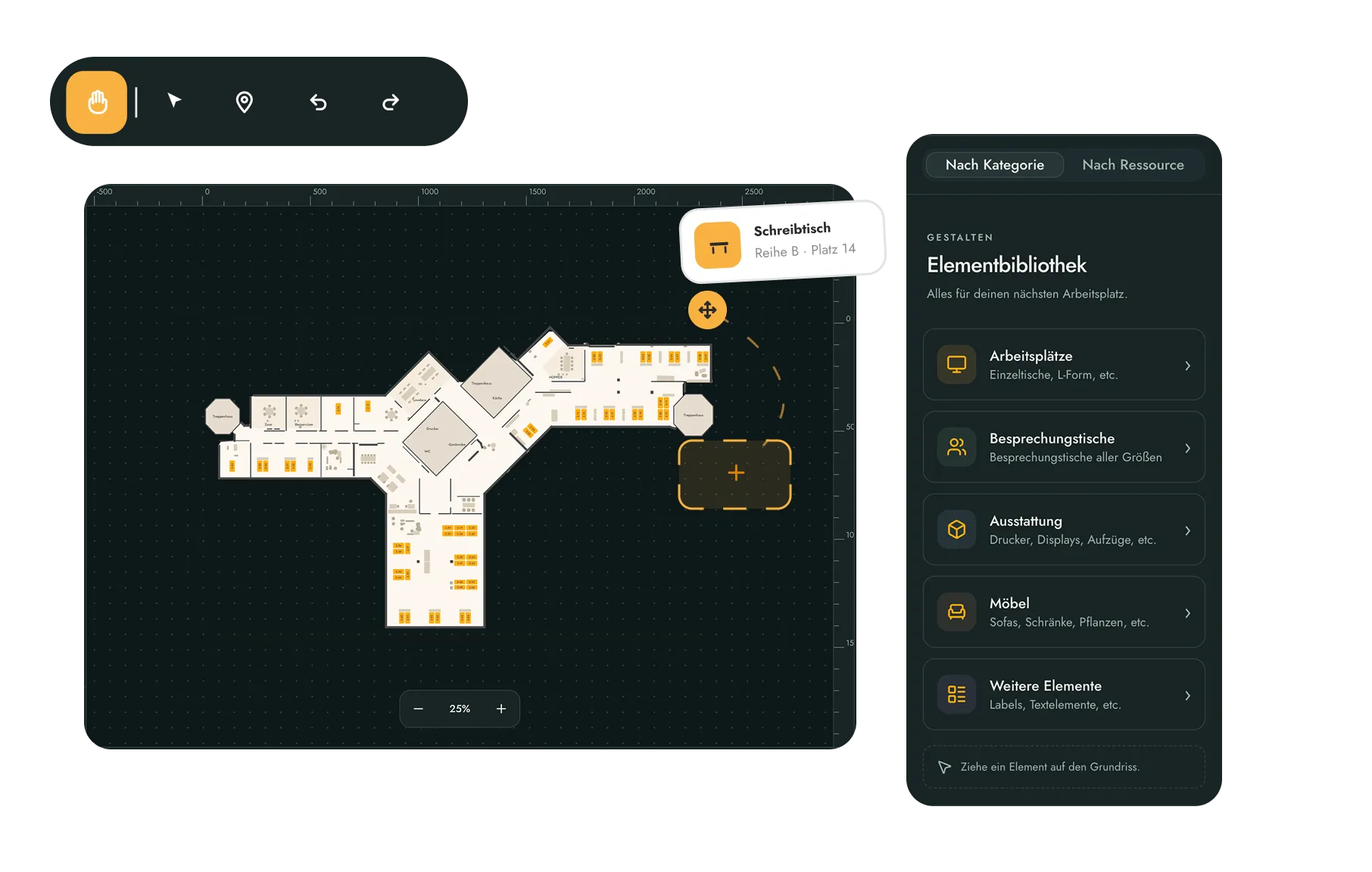
Lagepläne einfach per Drag & Drop selbst anpassen
Mit dem Desk-Editor pflegen Admins die Grundrisse in unserer Desksharing Software selbst. Laden Sie den Etagenplan hoch, importieren Sie Ihre Schreibtische als Excel-Liste und verknüpfen Sie die Positionen direkt im Plan mit Ihren Ressourcen. Schreibtische, Stühle und weitere Elemente platzieren Sie per Drag & Drop. So passen Sie die Arbeitsplatzbuchung ohne Umweg an neue Gegebenheiten an und erhalten einheitliche, hochwertige Grundrisse für alle Gebäude.
The features of our desk sharing software
OfficeEfficient is more than just desk booking software: from booking and utilization analysis to space optimization — intuitive for employees, measurable for companies.
Interactive floor plans
Interactive floor plans show available desks and simplify the booking process.
User groups
Manage permissions for zones and floors specifically via user groups such as departments.
Recurring & group bookings
Configure recurring and group bookings to schedule recurring appointments or multiple bookings at once.
Real-time occupancy
In our desk sharing app, colleagues can see in real time where the rest of the team is sitting and whether their favorite spot is still available.
Flexible booking rules
Define booking rules, such as timeframes or zones, that employees can use to book their workspaces.
Check-in
Bookings are automatically released if employees do not check in within a specified timeframe.
Efficiency that makes an immediate impact
With OfficeEfficient, you can handle bookings, management, and adjustments in seconds. Clear structures, fast processes, and intuitive features ensure a modern and efficient office experience.
Companies using OfficeEfficient double their actual office space utilization on average.
300+ companies in the DACH region
From mid-sized businesses to large corporations: Over 300 companies already manage their offices with OfficeEfficient – processing more than 1 million bookings per month combined.
Security & data protection to the highest standards
ISO 27001 certified, GDPR compliant, and hosted exclusively on servers in Germany. Your data remains protected and within the country.
Informed decisions instead of gut feelings
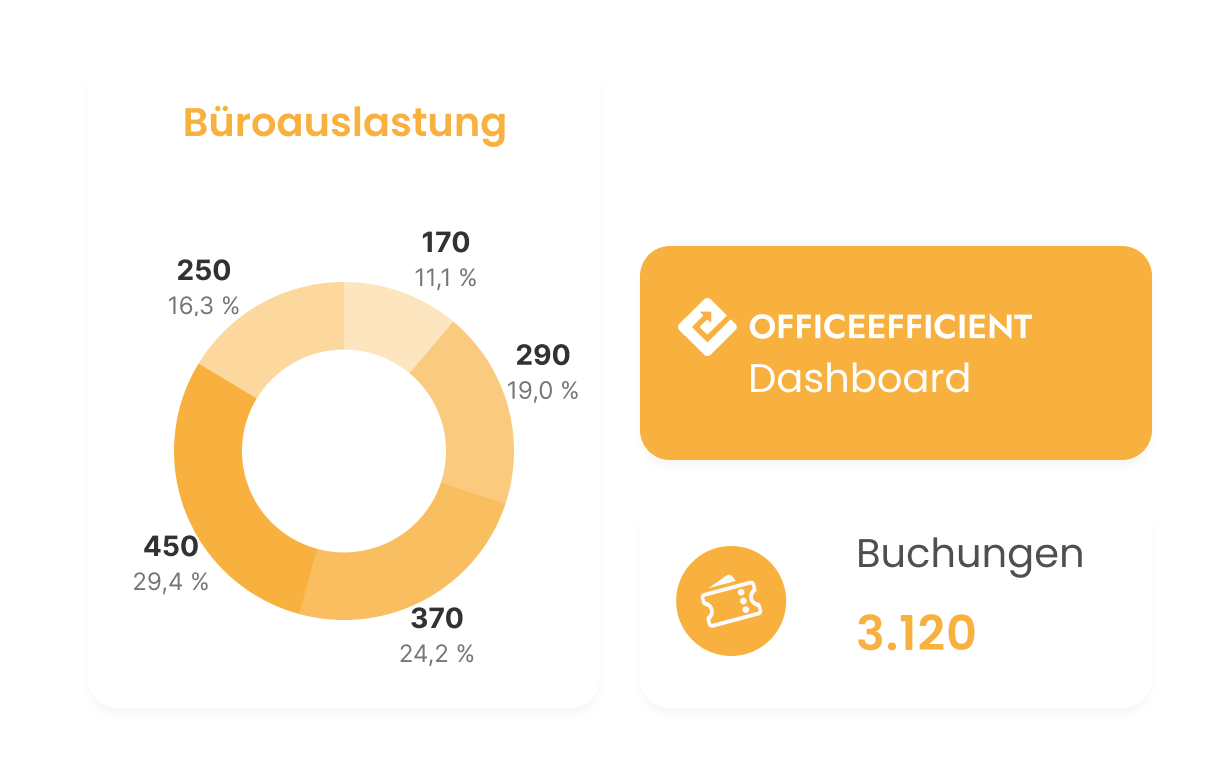
All booking data clearly displayed in one dashboard: occupancy, trends, and usage at a glance – for decisions based on real data, not guesswork.
No additional tool required
OfficeEfficient integrates seamlessly into your existing system landscape and connects directly to your Microsoft setup – no separate tool needed.
Highly intuitive, no training required
Clear user guidance ensures that employees can use OfficeEfficient from day one – with no training required.
What companies already using our desk sharing app have to say
As an intelligent booking system for workstations and conference rooms, OfficeEfficient is a central component of our Eco System for Smart Services. Based on booking data and our run sheet, cleaning is managed flexibly and on-demand, which increases cleaning quality, conserves resources, and drives efficiency. Furthermore, it allows for optimal planning of conference services and catering. We also successfully use OfficeEfficient in our own office spaces for modern desk sharing and the continuous optimization of our space utilization.
Team Lead, Center of Digital Excellence, Klüh Service Management GmbH
– verified from

OfficeEfficient is an integral part of our daily work routine. It helps us identify vacancies immediately and utilize floor space efficiently, which has a direct positive impact on our cost structure. At the same time, the tool creates clarity, fairness, and flexibility, ensuring that our employees feel good about coming into the office.

Project Manager GALERIA
– verified from
What I like best is the seamless onboarding and the incredibly helpful team at OfficeEfficient. The support during the integration into our company of 500 employees was top-notch and made the entire process so much easier. As the project lead, I am thrilled with the professional guidance and the efficient workflow. A big thank you to the team for the great collaboration – I’m already looking forward to onboarding our other locations!
@Thomas
– verified from
Q&A about OfficeEfficient
The most common questions about desk sharing, room management, visitor management, and other features.
What is OfficeEfficient?
OfficeEfficient is a digital workplace management software and booking solution for desks, meeting rooms, and other resources in the modern office. Employees can book desks, meeting rooms, or parking spaces in just a few clicks—via app, web browser, or directly in Microsoft Teams. Companies can centrally manage space utilization, booking rules, and locations, gaining full transparency into the actual occupancy of their office spaces. The ideal solution for hybrid work.
Which companies benefit from this software?
Our desk sharing software is ideal for medium-sized and large companies looking to implement flexible working models. Officeefficient is an optimal solution, especially for companies with 100+ employees aiming to make efficient use of their office space. Industries such as the financial sector particularly benefit from its secure integration into existing IT structures.
What are the advantages of OfficeEfficient compared to other tools?
OfficeEfficient offers more than just standard desk-sharing tools: in addition to workspace booking, it integrates room, visitor, cleaning, canteen, and space management into a single platform—complete with real-time data, Microsoft 365 integration, and full GDPR compliance.
Is OfficeEfficient secure and compliant with data protection regulations?
Yes. OfficeEfficient is hosted on German servers by a German provider, ensuring full data sovereignty at all times. The solution is GDPR-compliant and supports role-based permissions, multi-tenant structures, and secure processing of personal data. Depending on the project, SSO, Microsoft Entra ID, SCIM, and custom permission concepts can be implemented.
How complex is the implementation process for our company?
Implementing OfficeEfficient is straightforward and quick. Thanks to preconfigured modules, an intuitive setup, and personalized support, the solution can be tailored to your structures, locations, and processes in just a few days and put to use immediately.
How does OfficeEfficient improve employee satisfaction?
Employees can plan their workday more easily: they can see at a glance which desks, meeting rooms, or parking spaces are available and conveniently book the resources they need in advance. This is especially beneficial in a hybrid work model, as it creates more predictability, reduces time spent searching, and improves team coordination—employees know in advance where they will be working and which colleagues will be on-site.
Didn't find your question? Contact us
See what is possible in your office in just 30 minutes.
In a personal demo, we will show you how our workspace booking software fits into your existing IT infrastructure and what other companies of your size have achieved.
News
Learn more about hybrid work on our blog: